FormatForge logoFormatForge

XML collection

18 tools

XML Tools Online Free

Free XML tools for formatting, validating and converting XML to JSON or JSON to XML.

1. Choose a tool2. Process in browser3. Download or copy
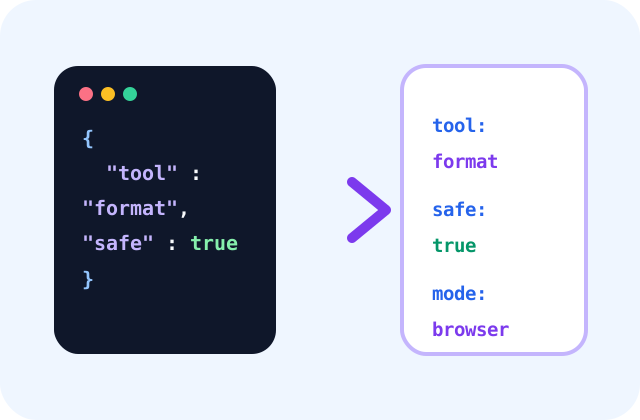
Structured data conversion workflow illustrationData conversion workflow

Workflow tools

Browse XML Tools

Start with a curated tool, then continue through category-matched utilities discovered automatically from the live catalogue.

01

XML Formatter

Indent and organise XML so elements, attributes and nested structures are easier to inspect and debug.

02

XML Validator

Check XML syntax for mismatched tags, malformed attributes and structural errors before using it in an integration.

03

XML to JSON

Convert XML documents into structured JSON for API development, data migration and easier JavaScript processing.

04

JSON to XML

Convert JSON objects and arrays into XML for legacy integrations, SOAP workflows and systems that require XML payloads.

05

JSON Formatter

Format and beautify JSON with indentation so API responses and configuration data are easier to read.

06

JSON Validator

Validate JSON syntax and identify malformed structures before using data in APIs, applications or integrations.

07

JSON Viewer

View complex JSON in a clean, readable format for debugging API responses and application data.

08

JSON Minifier

Remove unnecessary whitespace from JSON to create compact payloads for APIs, storage and testing.

09

YAML to JSON

Convert YAML configuration into JSON for APIs, validation, application settings and automated deployment workflows.

10

JSON to YAML

Convert JSON into readable YAML for Kubernetes, CI/CD pipelines, configuration files and infrastructure templates.

11

CSV to JSON

Turn CSV rows into structured JSON records for APIs, imports, test data and application integrations.

12

JSON to CSV

Flatten JSON records into CSV columns for spreadsheet analysis, reporting and data exchange.

13

JSON to Excel

Convert nested JSON into Excel with flattened columns or parent-child sheets for ERP, ePOS and business validation.

14

Excel to JSON

Convert Excel worksheets into structured JSON for APIs, migrations, integrations and development workflows.

15

JSON Compare

Compare two JSON documents and quickly check whether their parsed content matches.

16

JSON Studio

Format, validate, view, compare, split, merge and analyze JSON in one professional workspace.

17

JSON to C# Classes

Generate C# model classes from sample JSON for .NET APIs, integrations and typed deserialization.

18

API Mock Generator

Create realistic JSON mock responses from a simple schema for frontend development, demos and API testing.

Workflow guide

How this collection fits together

01

What are XML tools?

XML tools help users format, validate and convert Extensible Markup Language data. XML is still used in enterprise systems, legacy integrations, SOAP APIs, feeds, configuration files and document exchange workflows. FormatForge XML tools help users beautify XML, check syntax and convert XML into JSON or JSON into XML.

02

Benefits of XML tools

Readable XML is easier to debug and maintain. A formatter adds indentation and line breaks, while a validator helps catch missing closing tags, broken nesting and invalid syntax. XML to JSON conversion helps developers bring legacy data into modern application workflows. JSON to XML conversion is useful when a system still expects XML input.

03

Popular XML workflows

A common XML workflow starts with formatting messy XML, validating the syntax and then converting it to JSON for easier processing. Enterprise users may convert JSON back to XML for legacy imports. Developers working with APIs, feeds and integration files often need both XML and JSON tools together.

04

When to use XML tools

Use XML tools when working with feeds, SOAP integrations, legacy exports or configuration files. If your XML requires XSD validation, you may need advanced schema validation. For basic syntax and conversion work, browser-based tools are often sufficient.

Related learning

Guides for this workflow

Common questions

Frequently Asked Questions

What are XML Tools?

Free XML tools for formatting, validating and converting XML to JSON or JSON to XML.

Which tool should I use first?

Start with the utility that matches the exact input and outcome you need, then follow the related links for validation or the next workflow step.

How should I verify the result?

Review the output, compare important totals or fields with the source and test a small sample in the destination system before relying on it for production work.

Are xml tools free to use?

Yes. The listed FormatForge tools can be opened without creating an account. Individual pages explain processing, limitations and any important verification steps.

Do I need to install software?

No installation is required for these browser-based workflows. Some advanced or organisation-specific tasks may still require specialist desktop or enterprise software.

Keep exploring

More FormatForge collections

View all collections →